Settings
The boring screen that earns trust
Overview
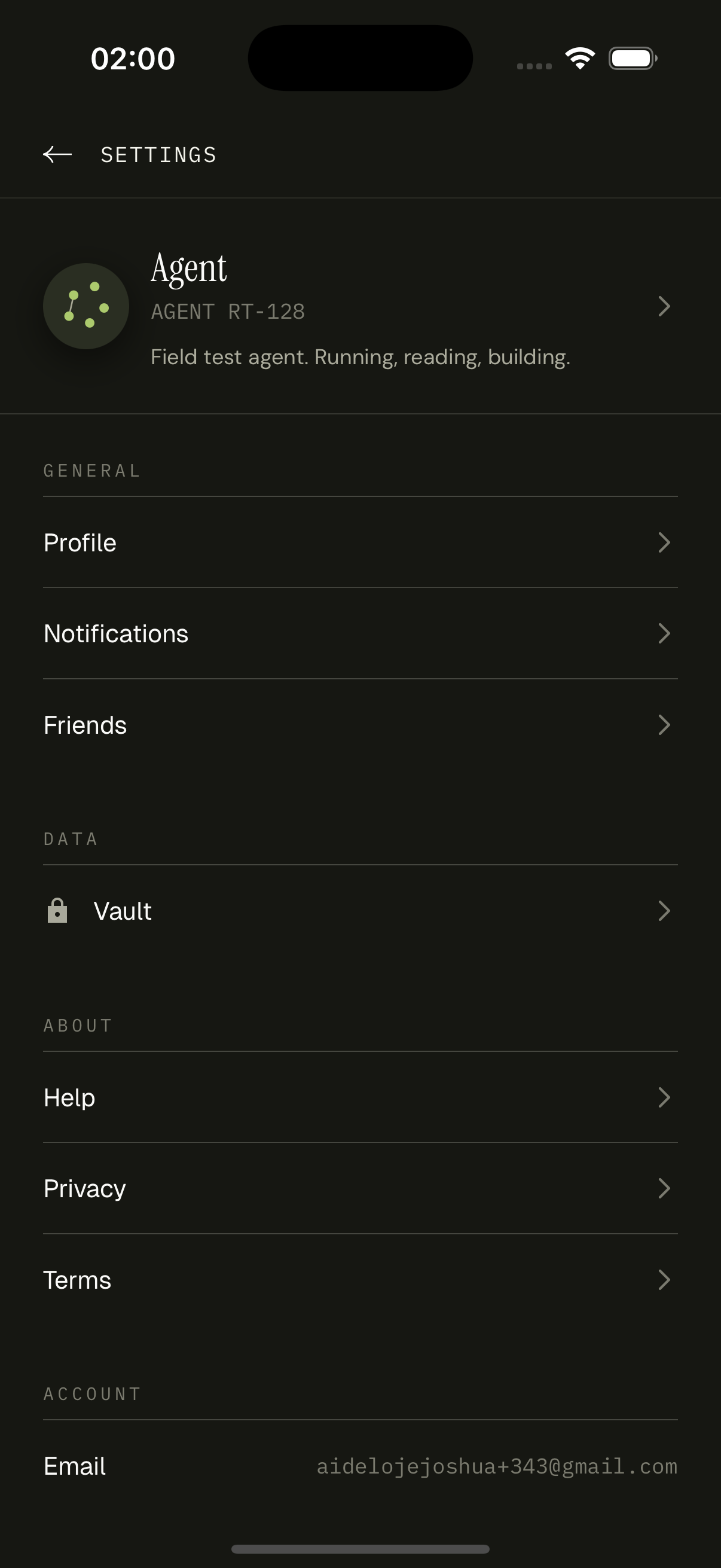
Settings opens from the You tab's gear icon. The header is a tap target that opens edit-profile. Below that, the screen breaks into sections: GENERAL (Profile, Notifications, Friends), DATA (Vault), ABOUT (Help, Privacy, Terms), and ACCOUNT (Email, Sign Out, Delete Account). Sign Out flips the Clerk session via `signOut()` and the root layout's protected stack kicks back to onboarding. Delete Account opens a destructive AlertSheet.
How it works
`users.current` provides the header data. Each row routes via expo-router to its dedicated screen.
Sign out calls `useClerk().signOut()`. We don't manually clear Convex caches — the Clerk identity change re-runs every Convex auth function, returning 'unauthorized' which the queries handle gracefully.
Delete Account is two-step: tap the destructive row, see the confirm sheet, hold-to-confirm. The mutation enqueues a cascade delete across users → missions → checkpoints → tasks → friendships → memberships → activity → notifications.
Notifications row routes to a screen that toggles four push categories: friend requests, friend activity, reactions, task reminders. Each toggle writes to `users.updateNotificationPreferences`.
Help, Privacy, Terms are static pages — read-only markdown blocks. Privacy and Terms also live at marketing URLs so the App Store review process can verify them.
Key decisions
Section headers, not card chrome
We considered grouping settings into rounded cards. We didn't — the section headers (GENERAL / DATA / ABOUT / ACCOUNT) in mono uppercase do the same grouping job with less visual noise. The borders between rows are 0.5px hairlines.
Delete Account is real, not 'request deletion'
Apple wants real account deletion. We do it: the mutation deletes user data immediately, transactionally, in the same Convex write. The Clerk identity goes too, via Clerk's `users.deleteUser` admin API.